- Sommaire
- Fonctionnement et spécificités techniques de PimEyes
- Utilisation pratique : comment trouver ses images en ligne avec PimEyes
- Abonnements premium : un guide pour choisir selon ses besoins
- Gestion proactive des alertes et résultats
- Avantages technologiques et limites éthiques de PimEyes
- Alternatives légales et comparatifs d’outils similaires
- Mesures de protection pour préserver sa vie privée face à PimEyes
- FAQ : questions fréquentes sur PimEyes et la reconnaissance faciale
Fonctionnement et spécificités techniques de PimEyes
Dans l’univers numérique d’aujourd’hui, la reconnaissance faciale est devenue un outil puissant, et PimEyes s’impose comme un acteur de premier plan dans ce domaine. Ce moteur de recherche spécialisé se distingue par son utilisation d’algorithmes d’intelligence artificielle.Il analyse avec précision les traits du visage d’une photo uploadée pour rechercher des images similaires à travers plusieurs milliards de sources sur internet. Cette capacité dépasse largement les limites des moteurs traditionnels comme Google Images, qui se basent essentiellement sur les métadonnées ou mots-clés associés aux images.
La clé technique réside dans la signature biométrique créée à partir des particularités faciales extraites par un logiciel propriétaire. Cette signature est ensuite comparée à une base de données colossale, incluant des images disponibles sur des sites web divers, réseaux sociaux, blogs et plus encore.
À cet aspect innovant s’ajoute la singularité d’une offre restrictive dans le champ d’analyse : contrairement à des acteurs plus généralistes comme Amazon Rekognition, Azure Face API ou Face++, PimEyes se concentre exclusivement sur les portraits, un vrai casse-tête pour certains technophiles en quête de polyvalence. Ce ciblage précis améliore grandement le taux de réussite des correspondances, mais implique aussi des enjeux particuliers liés à la vie privée.
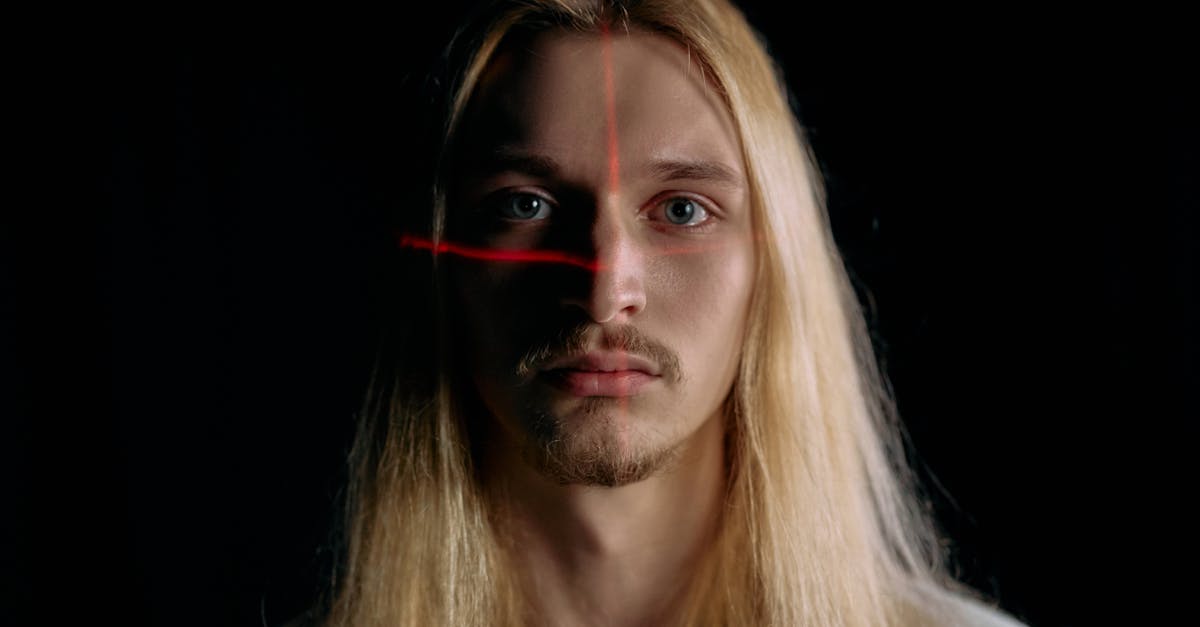
Voici une liste des principaux algorithmes et technologies comparables :
- 🔍 Google Images : moteur classique avec recherche inversée limitée aux métadonnées.
- 📸 TinEye : spécialiste de la recherche inversée d’images, mais sans reconnaissance faciale poussée.
- 👤 Face++ : outil de reconnaissance faciale largement intégré dans diverses applications.
- 🔎 FindFace : pionnier russe en reconnaissance faciale, utilisé par certains services de sécurité.
- ☁️ Azure Face API : solution cloud pour entreprises avec détection et identification faciale.
| Technologie | Type | scraping/lart-de-la-data-a-votre-portee-comment-le-web-scraping-peut-transformer-votre-entreprise/">Application principale | Particularité | Utilisation par PimEyes |
|---|---|---|---|---|
| PimEyes | Reconnaissance faciale | Recherche inversée ciblée sur portraits | Analyse signature biométrique en temps réel | ✔ |
| Google Images | Recherche inversée d’images | Image et métadonnées | Pas de reconnaissance faciale poussée | ✘ |
| TinEye | Recherche inversée d’images | Origine des images | Reconnaissance faciale limitée | ✘ |
| Face++ | IA et reconnaissance faciale | Détection et identification | Implémentation dans apps diverses | Non directement |
| Azure Face API | Cloud recognition | Analyse visage entreprise | Prise en charge multi-faces | Non directement |
PimEyes, plus qu’une simple recherche, c’est une technologie d’avant-garde qui oblige à s’interroger sérieusement sur les contours et la maîtrise de ses données personnelles en ligne. En savoir plus sur les enjeux liés à ce type de technologie.

Utilisation pratique : comment trouver ses images en ligne avec PimEyes
Pour tout utilisateur souhaitant faire un état des lieux de sa présence numérique, PimEyes propose une interface intuitive bien que techniquement sophistiquée. La procédure est simple en apparence :
- 📷 Téléversement d’une image claire du visage que l’on veut rechercher.
- ⚙️ Analyse automatique par l’algorithme d’empreintes faciales.
- 🌐 Recherche dans une base de données de plus de 2 milliards d’images en ligne.
- 📊 Affichage des correspondances avec sites sources et agrégation des résultats.
Ce processus d’analyse permet aux utilisateurs de s’assurer où leurs portraits sont visibles, détecter des utilisations non autorisées et anticiper d’éventuels risques d’usurpation d’identité. Certaines personnes ont ainsi pu retrouver des photos diffusées à leur insu sur des plateformes douteuses, et entamer des démarches pour les retirer.
L’aspect pratique est complété par des options avancées disponibles dans les forfaits payants : des alertes en temps réel informant la détection de nouvelles images similaires, des outils de suppression proactive et la possibilité d’exclure ses photos des recherches publiques grâce à la fonction « PROtect Image ».
Le comparatif ci-dessous détaille les fonctions pratiques accessibles pour chaque type d’utilisation :
| Usage | Gratuit | Premium Standard | Premium Pro | Pro Plus |
|---|---|---|---|---|
| Recherche faciale | ✔ | ✔ | ✔ | ✔ |
| Accès aux sources des images | ✘ | ✔ | ✔ | ✔ |
| Alertes de nouvelles images | ✘ | ✔ | ✔ | ✔ |
| Demandes de suppression | ✘ | ✔ | ✔ | ✔ |
| Exclusion des résultats publics | ✘ | ✘ | ✔ | ✔ |
| Volumétrie de recherches | Limitée | Standard | Élevée | Illimitée |
L’ensemble de ces caractéristiques offre une solution complète pour qui souhaite reprendre le contrôle sur sa présence sur internet, avec un vrai niveau professionnel possible, notamment pour les figures publiques préoccupées par leur e-réputation. Un point détaillé est disponible pour mieux comprendre ces options.

Abonnements premium : un guide pour choisir selon ses besoins
Le modèle économique de PimEyes repose principalement sur plusieurs formules d’abonnement payantes, adaptées aux différents profils d’utilisateurs. Le tarif d’entrée se situe autour de 33,99 $ par mois, offrant un premier niveau d’accès aux fonctionnalités essentielles comme l’accès aux sources des images, les alertes et la gestion proactive via la suppression. Ce standing couvre les besoins individuels habituels.
Pour ceux qui nécessitent une couverture plus poussée, en particulier :
- ⭐ Les influenceurs, journalistes ou professionnels de la sécurité.
- ⭐ Les célébrités soucieuses de leur image.
- ⭐ Les entreprises cherchant à surveiller leurs contenus visuels.
Des offres plus avancées, comme l’option « Accès complet et illimité », facturée jusqu’à 299,99 € par mois, ouvrent la porte à une surveillance permanente et un panel d’options exhaustif.Cependant, ce prix élevé reste un point de vigilance pour les budgets modestes, qui devront scruter attentivement les retours des utilisateurs.
Voici un tableau récapitulatif des fonctionnalités et tarifs estimés :
| Fonctionnalité | Prix mensuel | Description |
|---|---|---|
| Accès sources des résultats | À partir de 33,99 $ | Consultation des sites web où les images apparaissent |
| Alertes – nouvelles images détectées | À partir de 33,99 $ | Notifications en temps réel |
| Suppression proactive | À partir de 33,99 $ | Demande des retraits rapides d’images sur certains sites |
| Exclusion apparitions publiques | À partir de 33,99 $ | Prévention de visibilité dans les résultats publics |
| Accès complet illimité | 299,99 € | Pour les usages professionnels et intensifs |
Au-delà du budget, il faut aussi prendre en compte ses propres besoins de surveillance et les risques encourus. Une formule basique ne convient pas à tous, notamment pour gérer des problématiques comme la fraude ou l’usurpation d’identité en ligne.
Vous avez un projet spécifique ?
Kevin Grillot accompagne entrepreneurs et PME en SEO, webmarketing et stratégie digitale. Bénéficiez d'un audit ou d'un accompagnement sur-mesure.
Gestion proactive des alertes et résultats
Pour ne pas laisser filer sa réputation sur le net, la surveillance continue est un véritable atout. PimEyes offre un système d’alertes automatiques qui informe l’utilisateur dès qu’un nouveau visage, correspondant à celui enregistré, apparaît en ligne. Cette fonctionnalité est stratégique pour réagir vite face aux usages malveillants.
La mise en place de ces alertes nécessite simplement de téléverser une photo, qui sert de base à la surveillance. PimEyes scrute alors quotidiennement son immense base de données, garantissant un suivi permanent.
- 📢 Notifications en temps réel dès une détection.
- 🔎 Filtrage fin des résultats, avec catégories et exclusions possibles.
- 🛠️ Outils de suppression assistée, pour demander l’effacement d’images compromettantes.
- 📅 Historique des alertes pour garder un œil sur l’évolution.
Cette gestion dynamique fait de PimEyes un allié indispensable pour toute personne soucieuse de sa vie privée et de sa notoriété digitale. Attention toutefois à ne pas négliger la partie financière, car l’abonnement doit être renouvelé pour bénéficier d’une surveillance complète et efficace.
Il existe des alternatives comme Facecheck ID qui proposent des systèmes similaires, parfois à des tarifs plus accessibles. Mais leur base d’images ou la qualité des alertes peut varier. Un guide pour comparer ces services et choisir la meilleure option.

Avantages technologiques et limites éthiques de PimEyes
Si la technologie derrière PimEyes est sans doute impressionnante, elle soulève néanmoins des questions sensibles. La capacité de retrouver une image en quelques secondes parmi plus de 2 milliards d’autres expose à des risques non négligeables :
- ⚠️ Usurpation d’identité et exploitation commerciale non autorisée.
- ⚠️ Atteinte à la vie privée, notamment pour les personnes non consentantes.
- ⚠️ Risques accrus de harcèlement en ligne par identification facilitée.
Les spécialistes insistent sur la nécessité d’un encadrement juridique renforcé, notamment pour l’exploitation commerciale de ces données biométriques. Certains États ont déjà réglementé ces pratiques, mais la vigilance doit demeurer. PimEyes se défend en ne stockant pas durablement les images, mais garde temporairement des « empreintes faciales » pour améliorer la recherche.
Voici un tableau récapitulatif des avantages et limites :
| Points forts | Limites et risques |
|---|---|
| 🔹 Technologie avancée d’IA | 🔸 Atteinte potentielle à la vie privée |
| 🔹 Base de données très étendue | 🔸 Risques d’usurpation et fraude |
| 🔹 Outils de protection intégrés | 🔸 Coût élevé pour une protection complète |
| 🔹 Surveillance en temps réel | 🔸 Nécessite un abonnement continu |
Il est essentiel que tout utilisateur évalue ces paramètres avant de recourir à PimEyes ou toute autre technologie similaire. Le débat éthique est un enjeu majeur pour notre société numérique. D’autres analyses approfondies existent sur ce sujet.

Alternatives légales et comparatifs d’outils similaires à PimEyes
Face à PimEyes, plusieurs autres outils sur le marché permettent d’effectuer des recherches d’images inversées et, dans certains cas, des reconnaissances faciales, avec des tarifs et performances différents. Cette diversité rend le choix compliqué, d’où l’importance d’un bon guide pour choisir.
Voici une liste des alternatives les plus connues :
- 📊 Google Lens : intégré aux smartphones Android, très simple d’usage, et gratuit.
- 🔍 TinEye : moteur spécialisé dans la recherche inversée d’images classique sans reconnaissance faciale avancée.
- 👁️ FaceCheck ID : outil centré sur la reconnaissance faciale avec un système clair et sans abonnement excessif.
- 🖼️ SauceNAO : idéal pour retrouver l’origine d’images d’anime, peu pertinent pour des photos classiques.
- 📷 Cortexica : technologie avancée pour la reconnaissance visuelle, utilisée dans des secteurs professionnels.
Un tableau de comparaison technique et économique :
| Service | Reconnaissance faciale | Type de recherche | Abonnement | Public cible |
|---|---|---|---|---|
| PimEyes | Oui ✔ | Portraits inversés | Payant | Individus et pros |
| Google Lens | Limité | Images et objets | Gratuit | Grand public |
| TinEye | Non | Recherche inversée classique | Gratuit/Payant | Photographes, graphistes |
| FaceCheck ID | Oui ✔ | Visages similaires | Abonnement modéré | Utilisateurs généralistes |
| Cortexica | Oui ✔ | Reconnaissance visuelle | Entreprise | Professionnels |
Certains préfèrent s’orienter vers FaceCheck ID, jugé plus accessible et transparent. Pour un besoin simple de recherche, Google Lens reste la première option. Mais PimEyes garde un avantage technique distinct lorsqu’il s’agit de recherche faciale approfondie.Détailler ces alternatives est indispensable avant tout choix.
Vous avez un projet spécifique ?
Kevin Grillot accompagne entrepreneurs et PME en SEO, webmarketing et stratégie digitale. Bénéficiez d'un audit ou d'un accompagnement sur-mesure.
Mesures de protection pour préserver sa vie privée face à PimEyes
La meilleure défense face à ces technologies est d’adopter des bonnes pratiques et d’utiliser les options proposées pour limiter ses risques. PimEyes permet notamment :
- 🛑 Un retrait manuel de vos images depuis leur base via formulaire dédié.
- 📝 Une désinscription globale après vérification d’identité.
- 🚫 La demande de suppression directe auprès des sites qui hébergent les images.
- 🔐 Souscrire à des abonnements de surveillance pour surveiller les futures apparitions.
Si ces voies sont parfois longues et fastidieuses, elles sont la meilleure barrière à une diffusion incontrôlée. Attention aux délais de traitement : certains rapports indiquent qu’ils peuvent varier selon le volume des contenus à retirer. Prudence également avec la conservation temporaire des données.
Le tableau ci-dessous compare ces méthodes :
| Méthode | Avantages | Inconvénients |
|---|---|---|
| Retrait manuel | Contrôle ciblé d’images précises | Long, demande un suivi |
| Désinscription globale | Suppression large en une fois | Nécessite preuve d’identité |
| Demande auprès des sites | Suppression définitive | Dépend des politiques des sites |
| Abonnement de surveillance | Alerte en temps réel | Coût mensuel |
En parallèle, adopter des habitudes numériques sûres, comme limiter la publication de photos publiques et sécuriser ses appareils, complète la prévention. Privilégier les alternatives légales ou reconnues aide également à bien se protéger.Découvrir plus de conseils pratiques.

FAQ : questions fréquentes sur PimEyes et la reconnaissance faciale
- Comment PimEyes sécurise-t-il mes photos téléchargées ?
PimEyes ne stocke pas durablement les photos uploadées. Il conserve temporairement une empreinte biométrique propre à la recherche, qui est effacée après traitement. - Est-ce que PimEyes est légal en France et en Europe ?
Le service opère dans un cadre légal souvent sujet à débat. Le RGPD impose des restrictions strictes, mais PimEyes adapte ses activités pour se conformer aux exigences européennes. - Quel abonnement choisir pour une surveillance efficace ?
L’offre premium standard est suffisante pour un particulier soucieux de sa vie privée, tandis que les professionnels préfèreront les formules avancées offrant des volumes et outils plus complets. - Peut-on retirer toutes ses photos de PimEyes ?
Il est possible de demander la suppression via le formulaire officiel, mais certaines images peuvent rester accessibles selon leur hébergement ailleurs sur le web. - Quelles sont les principales alternatives à PimEyes ?
Google Lens, FaceCheck ID, et TinEye sont des options souvent recommandées, chacune avec ses avantages et limites selon l’usage recherché.
📋 Checklist SEO gratuite — 50 points à vérifier
Téléchargez ma checklist SEO complète : technique, contenu, netlinking. Le même outil que j'utilise pour mes clients.
Télécharger la checklistBesoin de visibilité pour votre activité ?
Je suis Kevin Grillot, consultant SEO freelance certifié. J'accompagne les TPE et PME en référencement naturel, Google Ads, Meta Ads et création de site internet.

Checklist SEO Local gratuite — 15 points à vérifier
Téléchargez notre checklist et vérifiez si votre site est optimisé pour Google.
- 15 points essentiels pour le SEO local
- Format actionnable et imprimable
- Utilisé par +200 entrepreneurs