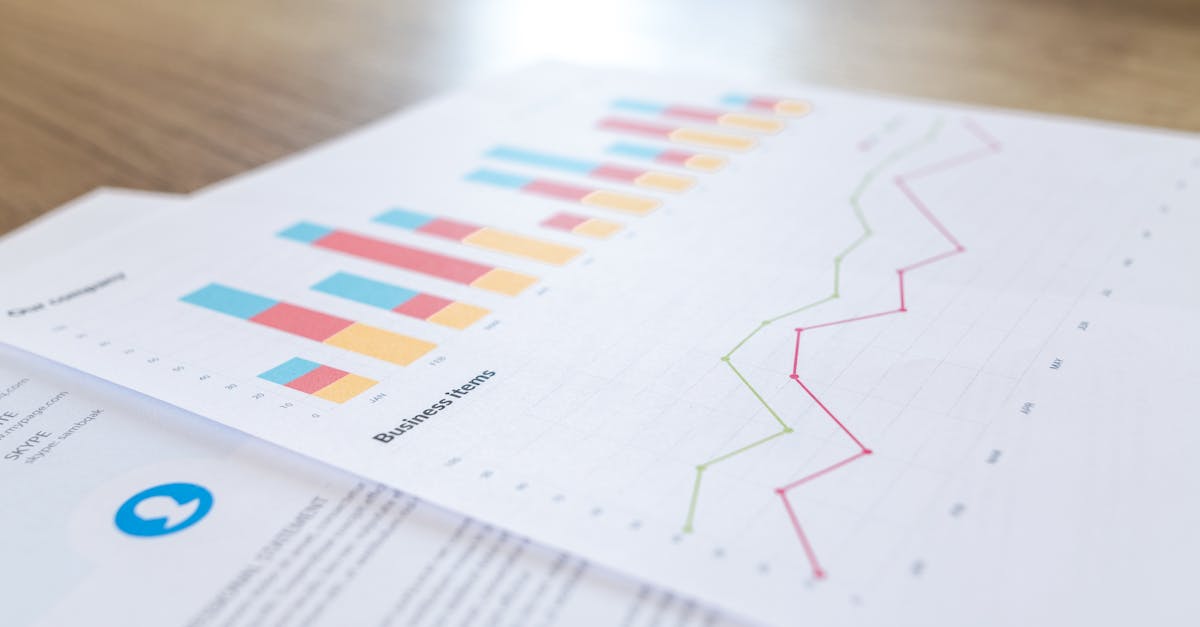
In an era where information circulates at high speed, file management has become a major challenge for individuals and professionals. Traditional methods, often tedious and time-consuming, struggle to keep up with today’s demands for speed and efficiency. However, technological developments now offer robust alternatives capable of profoundly transforming the way files are stored, organized, and shared. It’s therefore time to take stock of these powerful tools, understand their benefits, and, above all, learn how to intelligently integrate them into your digital life. Whether to improve productivity, secure data access, or promote more sustainable behavior, these innovative solutions have never been more crucial.
In a context where document volumes are exploding and remote collaboration is becoming the norm, leveraging the right platforms is a strategic lever not only for saving time but also for avoiding costly errors. Key names include Microsoft with its integrated Office suite, Google and its suite of cloud applications, Dropbox and Box for secure storage, and Evernote for note-taking and organization. Not to mention Adobe and Zoho, which offer targeted solutions for file management and editing, or tools such as Wunderlist, Asana, and Trello designed to structure teamwork.
This overview is complemented by platforms dedicated to converting documents between formats, essential for streamlining exchanges. By adopting these technologies, both freelancers and large organizations have at their fingertips a range of advanced features to significantly simplify their activities. Don’t delay: this informed choice guarantees a real boost in your daily file management, while ensuring a secure and efficient digital environment.
The concrete benefits of document digitization in file management
Document digitization is now an essential pillar for optimizing file management. By transforming bulky paper files into digital files accessible in just a few clicks, this method frees up valuable space and facilitates more streamlined organization. This shift to digital isn’t just about simple organization: it also paves the way for a complete transformation of workflows. For example, in the maritime sector, where managing receipts, certificates, and nautical plans is a real headache, digitization allows these documents to be centralized and organized without relying on a physical space. Quick access to these digital files saves considerable time searching for important documents.
But the benefits don’t stop there:
🌍
- Space savings and cost reduction : no more spending on physical archiving and printing; digital files can be stored on much less expensive virtual media. 🔒
- Better security and data protection : Digital files can be password-protected, encrypted, or stored on cloud solutions with advanced protocols to ensure confidentiality. 🚀
- Instant access and easy sharing : Thanks to platforms like Microsoft OneDrive or Google Drive, documents can be accessed anywhere, anytime, including on the go, ensuring work continuity. ♻️
- Contribution to environmental sustainability : Reducing paper consumption is an effective solution for reducing one’s ecological footprint, an imperative that is part of a responsible business approach. To illustrate this point, let’s take the case of an SME that automated the digitization of its incoming invoices. The result? Processing speed doubled and data entry errors were significantly reduced, increasing the reliability of the accounting system while freeing teams from repetitive tasks. This development should be taken seriously, especially since legislation now encourages, or even requires, the secure digital storage of certain documents.
This is no longer a simple modernization but a necessary step that transforms document management into a more agile activity. To explore this topic further, reading this specialized article provides a useful overview of the opportunities offered by digital innovations in document management.
Benefits 🌟 Tangible Impacts 📊 Reduced search time
| 38% average gain in file access speed | Reduced printing costs |
|---|---|
| Up to 47% reduction in paper-related expenses | Better collaboration |
| Real-time work with secure sharing on Dropbox or Box | Secure archiving |
| GDPR compliance thanks to encrypted systems | Discover the art of file management with our effective tips and tools. Optimize the organization, storage, and sharing of your data for increased productivity. |
| Essential online tools for effective file management | Using online tools to manage files is now an essential solution. These platforms offer a wide range of features that go far beyond simple storage, also providing collaboration, conversion, and advanced management capabilities. In the professional context, Google Workspace and Microsoft 365 represent comprehensive solutions, combining storage, editing, and secure sharing. |


🖥️
Real-time editing
: With Google Docs or Microsoft Word online, multiple collaborators can work simultaneously on the same file.
- 🔄 Format conversion : For example, Adobe Acrobat makes it easy to convert a PDF to Word without altering the layout, a great way to reuse original documents.
- 🔎 Quick search : Built-in search engines make it easy to instantly locate specific documents among thousands.
- 📤 Secure sharing : Sharing links are often configurable with specific access levels. In addition to these services, some sites offer fast and free conversion of PDF documents to Word, which is often essential for updating reports or presentations without starting from scratch. This feature addresses a very common practical need, especially in environments where flexibility is essential.
- Here’s a simple comparison table between some major players in the market: Platform 💻 Key Capabilities ⚙️
Advantages 🏅
Limitations ⚠️
| Microsoft 365 | Storage, editing, team collaboration | Native integration with Outlook and Teams | Sometimes expensive subscription |
|---|---|---|---|
| Google Workspace | Cloud suite, collaborative tools, PDF conversion | Simple and cross-platform interface | Privacy concerns mentioned |
| Dropbox | Fast sharing, automatic synchronization | Strong mobile and desktop compatibility | Limited free storage limit |
| Box | Secure storage, granular access management | Reinforced security and rights management | More suitable for businesses than individuals |
| For those who wish to delve deeper into the possibilities offered by these tools, this | guide to choosing file management software | can prove valuable and guide you towards a perfectly adapted solution. | https://www.youtube.com/watch?v=aRRwju2vQh8 |
Electronic document management (EDM) systems: a key lever for businesses Electronic document management (EDM) systems represent a major advance in controlling document flow. For a company, adopting such a tool, such as Evernote Business or Zoho Docs, is no longer a luxury but a necessity to maintain control in the face of the massive increase in data to be processed. These solutions allow you to: 📁

documents into categories, using precise metadata.
⌛
- Reduce delays processing through process robotization. 🔍
- Ensure follow-up accurate file versions and modifications. 🔐
- Secure documents in compliance with current regulations. For example, a large logistics company implemented Evernote Business to centralize all intervention reports and customer invoices. Result: better visibility of operations and easier access for all employees, everywhere in the world.
- Automation also helps avoid traditional human errors. The integration of electronic signatures into official exchanges accelerates the validation of documents while guaranteeing their authenticity. This is detailed in this technical article which presents the major trends in GAD and their tangible benefits.
GED Features 📂
Benefits for the company 📈 Automatic indexing Immediate and targeted access to documents
| Version management | Reduction of errors and better traceability |
|---|---|
| Secure Archiving | Compliance with Legal and Regulatory Standards |
| Automated Workflow | Significant Time Savings on Task Management |
| https://www.youtube.com/watch?v=5IPg3XikIYM | How to Optimize Collaboration and Sharing via Digital Platforms |
| File management is no longer limited to individual storage. The rise of collaborative tools such as Trello, Asana, and Wunderlist offers new perspectives for organizing document sharing and co-editing. These platforms structure the way teams work together in real time, creating an environment conducive to productivity and smooth communication. | These solutions promote: |
Vous avez un projet spécifique ?
Kevin Grillot accompagne entrepreneurs et PME en SEO, webmarketing et stratégie digitale. Bénéficiez d'un audit ou d'un accompagnement sur-mesure.
Centralized communication
around files to avoid multiple versions.
⚙️
- Clear distribution of responsibilities within shared folders. 🌐
- Simplified remote working via secure access from any device. 📅 Deadline tracking
- and automatic notifications so you don’t forget anything. These features are particularly valuable in professions where coordination is key, such as maritime or logistics project management. Combining these tools with cloud platforms such as Dropbox or Box further secures data and optimizes team productivity. For effective management, it’s recommended to establish clear rules for naming and classifying files, which prevents frequent time losses. The use of labels and virtual folders also facilitates navigation through large documents.
- This focus on collaborative tools is a good illustration of how the synergy between technology and organization boosts results. Collaborative Tools 🛠️
Key Features 🚀
Ideal Use 🧭 Trello Task management, visual boards
| Small teams and simple projects | Asana | Planning, deadline tracking |
|---|---|---|
| Medium and Large Teams | Wunderlist | Shared Lists, Reminders |
| Personal Management and Small Collaboration | The Impact of Automation in File Management: More Than Just a Convenience | Automation is radically transforming the daily lives of document managers. Rather than repeating tedious manual operations, it is now possible to use tools that handle tasks such as automatic filing, sending notifications, or successive document validation. If you are exploring options to reduce the risk of human error, platforms incorporating artificial intelligence and custom scripts are recommended. |
| Here are some concrete examples of automations that are gaining ground: | 🗂️ | Automatic filing |

of files according to their nature, thanks to content analysis algorithms.
⏰
Automatic reminders and notifications
- for tracking important document deadlines. 📧 Scheduled distribution
- of reports or invoices to the right people, without manual intervention. ✍️ Validation via electronic signatures, which accelerate approval processes. These automations, like those offered by Zoho or Evernote, significantly reduce errors, speed up processes, and relieve teams of repetitive tasks. To learn more about best practices and popular tools, this specialized site
- dedicated to artificial intelligence-assisted file management is a valuable starting point. Automations 🤖
- Key Benefits 💡 Automatic sorting and filingConsiderable time savings
Scheduled notifications Better deadline management Automatic document sending
| Streamlined exchanges | Electronic validation |
|---|---|
| Error reduction and legal compliance | Reduce environmental footprint through digital file management |
| Environmental awareness is now permeating all aspects of professional life. Digital file management contributes significantly by reducing paper use and physical space requirements. | But beyond simple substitution, more responsible management methods are emerging. By limiting printing, optimizing transfers, and adopting eco-friendly cloud platforms, we can significantly reduce the carbon footprint generated by document management activities. |
| 🌱 | Less paper consumed, resulting in direct savings for the planet. |
| ⚡ | Reduced energy requirements related to printing and physical archiving. |

📊
Optimized resources through the use of digital collaboration tools.
💰 Long-term cost reduction thanks to automation and digital technology. As this analysis shows, adopting digital document management is not just a matter of efficiency but also a true guarantee of sustainable commitment. Several platforms such as Microsoft, Google, and Dropbox are now developing offerings that integrate an ecological dimension, aiming to limit their energy impact.
- Responsible digital managementis gradually becoming part of corporate strategies that seek to combine performance and respect for the environment.
- Ecological actions 🌿 Measurable effects 📉 Limited printing
- 60% reduction in paper consumption Digital archiving 40% reduction in storage costs
- Use of renewable energy 30% reduction in CO2 emissions Digital collaboration
Less travel for meetings
Discover effective file management solutions to organize, store, and share your data with ease. Optimize your workflow with our powerful tools. Guide to choosing file management software: essential criteria With so many tools available, choosing the right file management solution can be a real challenge. Several criteria should guide this choice to avoid the hassle of a tool that isn’t suited to your actual needs. These essential criteria include:
| ✔️ | Ease of use |
|---|---|
| : An ergonomic interface saves time getting started. | ✔️ |
| Suitable features | : Some software programs like Adobe or Zoho emphasize advanced features tailored to complex document management. |
| ✔️ | Security |
| : Data encryption and GDPR compliance are essential. | ✔️ |
Vous avez un projet spécifique ?
Kevin Grillot accompagne entrepreneurs et PME en SEO, webmarketing et stratégie digitale. Bénéficiez d'un audit ou d'un accompagnement sur-mesure.
: The ability to connect to other tools like Asana, Trello, or Evernote improves overall efficiency. ✔️
Costs and Terms: Subscription versus permanent license, should you choose a cloud-based or on-premises solution? To provide a clear overview, here is a comparison table of some key players, based on these criteria:
- Software 📂 Ergonomics 👍 Key Features ⚙️
- Security 🔐 Compatibility 🔄 Pricing 💸
- Microsoft 365 Excellent Advanced collaboration and storage
- Native encryption Office, Teams, Outlook integration Subscription
- Google Workspace Simple and intuitive Cloud editing and sharing
GDPR compliance
| Compatible with many apps | Subscription | Dropbox | Clear interface | Automatic backup and synchronization | Advanced security options |
|---|---|---|---|---|---|
| Cross-platform app | Free and paid | Adobe Acrobat | Professional guidance | PDF conversion and advanced editing | Password protection |
| Connection with other Adobe tools | License or subscription | Redirecting to comparisons For smart users, this link | provides access to a detailed ranking of the best available solutions. This overview greatly facilitates decision-making, especially for novice users. | Essential precautions for securely managing your digital files | Managing digital files also requires controlling the risks involved. Security is a key issue, mentioned repeatedly in recent best practices. Here are the main dangers that should not be underestimated: |
| 🚨 | Data leaks | , often due to poorly protected or outdated systems. | 🐞 | Software vulnerabilities | that can be exploited in the event of missing updates. |
| 👨💻 | Unauthorized access | via phishing or weak passwords. | 💥 | Data loss | due to a technical incident or human error. |
To achieve this, evaluate the services offered by platforms based on their security guarantees. Two-factor authentication (2FA), end-to-end encryption, and proactive access monitoring are now essential standards. Some solutions, such as Box or Dropbox, also offer automatic backups and version retention. In addition, securing your devices and training users in digital vigilance completes the system, thus avoiding the pitfalls of increasingly sophisticated networks. A complete guide to digital safes details how to effectively protect your confidential documents with dedicated tools.Security Risks 🔒

Recommended Preventive Measures ✅
Data Leaks
- Use of Advanced Encryption and VPN Phishing and Illegitimate AccessTwo-Factor Authentication and Rigorous Password Management
- Data Loss Regular Automated Backups Missing Updates
- Automated Patch Deployment FAQs on File Management and Technology Tools ❓
- Which tools should you choose for collaborative file management? Solutions such as Microsoft 365, Google Workspace, Trello, and Asana are perfectly suited to enable smooth and organized teamwork. ❓
How to effectively secure your digital files?
It is essential to use platforms that offer data encryption, double authentication, and to set up regular backups to avoid any loss.
❓ Is cloud storage reliable for sensitive data? Yes, provided that the service meets strict security standards, such as those offered by Box or Dropbox, with advanced protections against intrusions.
| ❓ | Can we automate document management? |
|---|---|
| Absolutely. Tools like Zoho or Evernote, integrated into automation systems, make it possible to classify, send and validate documents without permanent human intervention. | ❓ |
| What are the environmental benefits of digital management? | Reducing paper consumption, optimizing energy resources and reducing printing needs contribute to a reduced ecological footprint. |

📋 Checklist SEO gratuite — 50 points à vérifier
Téléchargez ma checklist SEO complète : technique, contenu, netlinking. Le même outil que j'utilise pour mes clients.
Télécharger la checklistBesoin de visibilité pour votre activité ?
Je suis Kevin Grillot, consultant SEO freelance certifié. J'accompagne les TPE et PME en référencement naturel, Google Ads, Meta Ads et création de site internet.

Checklist SEO Local gratuite — 15 points à vérifier
Téléchargez notre checklist et vérifiez si votre site est optimisé pour Google.
- 15 points essentiels pour le SEO local
- Format actionnable et imprimable
- Utilisé par +200 entrepreneurs